Online Music Production Lessons
Online Music Production Lessons for Turning Ideas Into Tracks
I teach music production live over Zoom, one-on-one, with screen sharing, anywhere in the United States. Ableton Live is my main DAW. I also teach Logic Pro, FL Studio, Pro Tools, Reaper, and GarageBand. Bring a voice memo, a lyric, a chord loop, or a session you never finished, and we build it into a real track.
$20 for 30 min, credited toward your first month · in person in LA or online
Do you teach Ableton Live lessons online?
Yes. Ableton is my main DAW, and my studio runs Ableton Live Suite. Online we cover Session and Arrangement views, drum programming, sampling and warping, synths and effects, and turning loops into finished songs, all inside your own session. More on Ableton lessons and DAW lessons.
How do online production lessons work?
We meet on Zoom and you share your screen. I see exactly where your session is stuck and we fix it together. You leave every lesson knowing what to do next.
Who teaches the lessons?
Me, Thaddeus Arndt. I've been producing and engineering for 10+ years, and I have a BA in Music from the University of Illinois Urbana-Champaign, with piano and music technology. I also teach in person at my studio in Los Angeles, near Fairfax and Melrose, next to West Hollywood.
How much do online production lessons cost?
$40 for 30 minutes or $60 for an hour, same as in person. The first lesson is a $20, 30-minute intro, credited toward your first month if you keep going.
Why online works well
Production already lives on a screen. So we look right at your session, fix whatever's slowing you down, and build the track where it lives.
What we work on
Arrangement, recording, MIDI, editing, picking sounds, rough mixing, exporting. And the decisions that actually get songs finished.
Best fit
Songwriters, artists, and beginners who are done with tutorials and want help using the tools on their own music.
- We start with music you can actually hear and use
- Technique gets built around what you want to play
- You leave every lesson knowing what's next
- The intro is where we pick your path
Choose the path that matches your goal.
Voice Memo to DAW
Rough ideas, turned into sessions.
Workflow Help
Learn your software without drowning in it.
Release Direction
Know what a track needs before you export.
Production references that make online lessons concrete
Online production goes best with a specific target. A favorite song, an unfinished demo, or a sound you want to understand well enough to use yourself.
Billie Eilish
Small arrangements, stacked vocals, and production that sits right next to your ear.
Olivia Rodrigo
Songs first, with production that goes from quiet heartbreak to huge moments and back.
Coldplay
Piano and guitar ideas grown into full-band arrangements.
Laufey
Warm chords, arrangements that feel live, and production built around the song.
What do I need for an online production lesson?
Use the computer and DAW you already make music on. Have a project ready to open and headphones available. Before we get into the song, we check that I can hear your session audio as well as your voice over Zoom.
If you have never opened a DAW, say that when you book. We can start with the software and setup instead of spending the intro searching for a project. You do not need to buy a stack of plugins first.
Can you help me get beyond an eight-bar loop?
Bring the loop. We can listen for the part that should carry the song and make a first arrangement around it. For example, keeping the drums back for a verse can give a chorus room to arrive without adding another sound.
Then you make the change in your own session. You leave with a project you understand and a next decision to make. If choosing software is slowing you down, read the Ableton versus Logic beginner guide; if you already use Ableton, see the Ableton lesson page.
When is a lesson more useful than another tutorial?
A tutorial helps when you know which tool you need to learn. A lesson helps when you keep changing tools and still cannot tell why the song feels unfinished. I can look at your session with you and help choose the next thing to fix.
Read when feedback matters more than another tutorial for a fuller comparison. The $20 intro gives us 30 minutes to hear your goal, check the setup and decide where to begin. It is credited toward your first month if you continue.
The studio I teach from
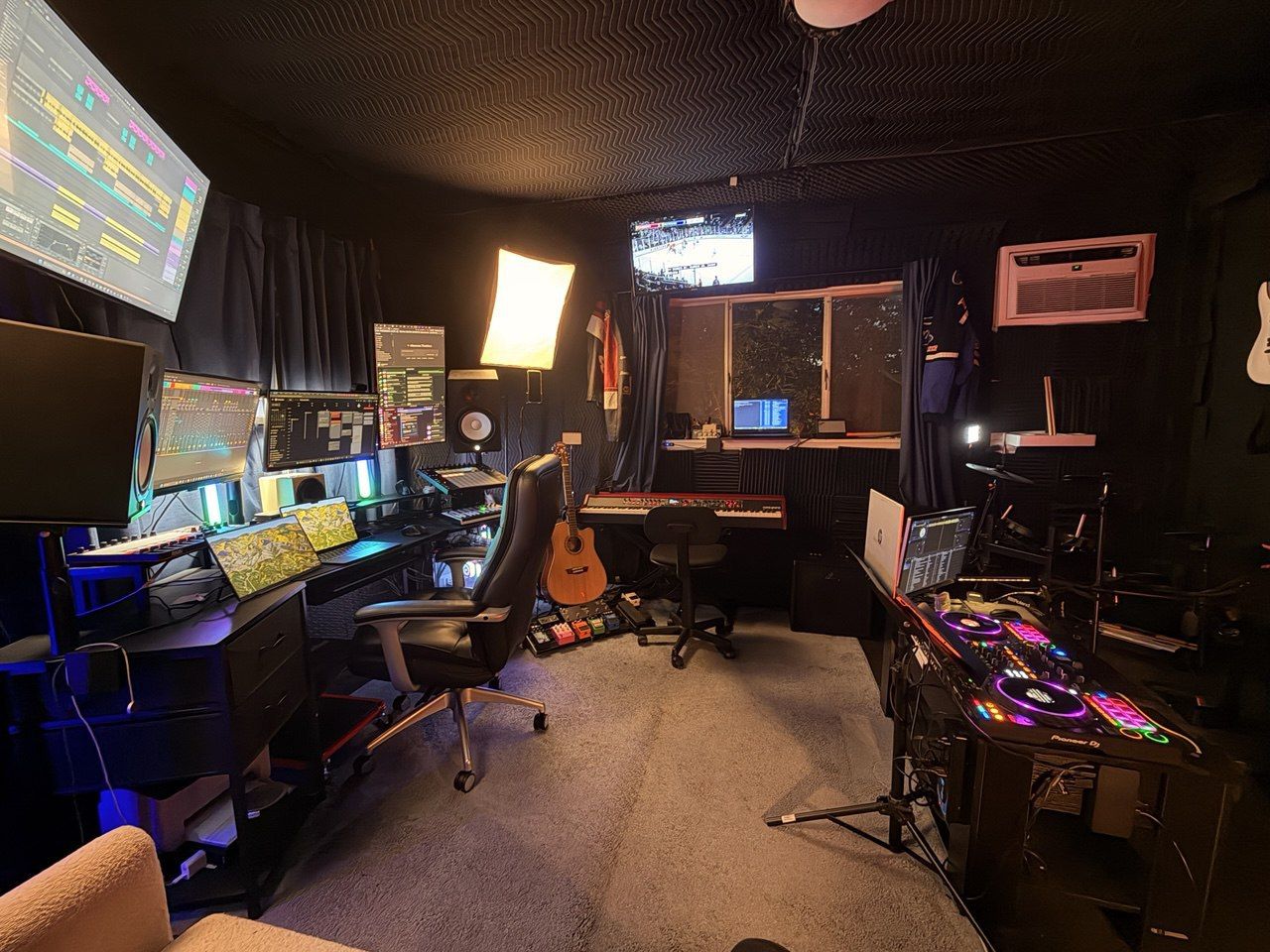
This is my Los Angeles production studio. For online lessons, I work with you over Zoom while you use your own computer. The decisions we make need to survive after the call, on the setup where you will finish the song.

Common questions
Can you teach my DAW?
Yes. Ableton is my main DAW, but we can work in Logic, FL Studio, GarageBand, or whatever you're using now.
Do I need plugins?
No. Stock tools and simple decisions are plenty to start.
Can we work on my actual song?
Yes. Honestly, that's usually the best way to learn.
Start With the $20 Intro Lesson
Book it and we'll meet at my Los Angeles studio or on Zoom. Just tell me which when you book. We talk about what you want, pick a lesson path, and you leave knowing what to do next. The intro is credited toward your first month.
Book the $20 Intro